Room by room
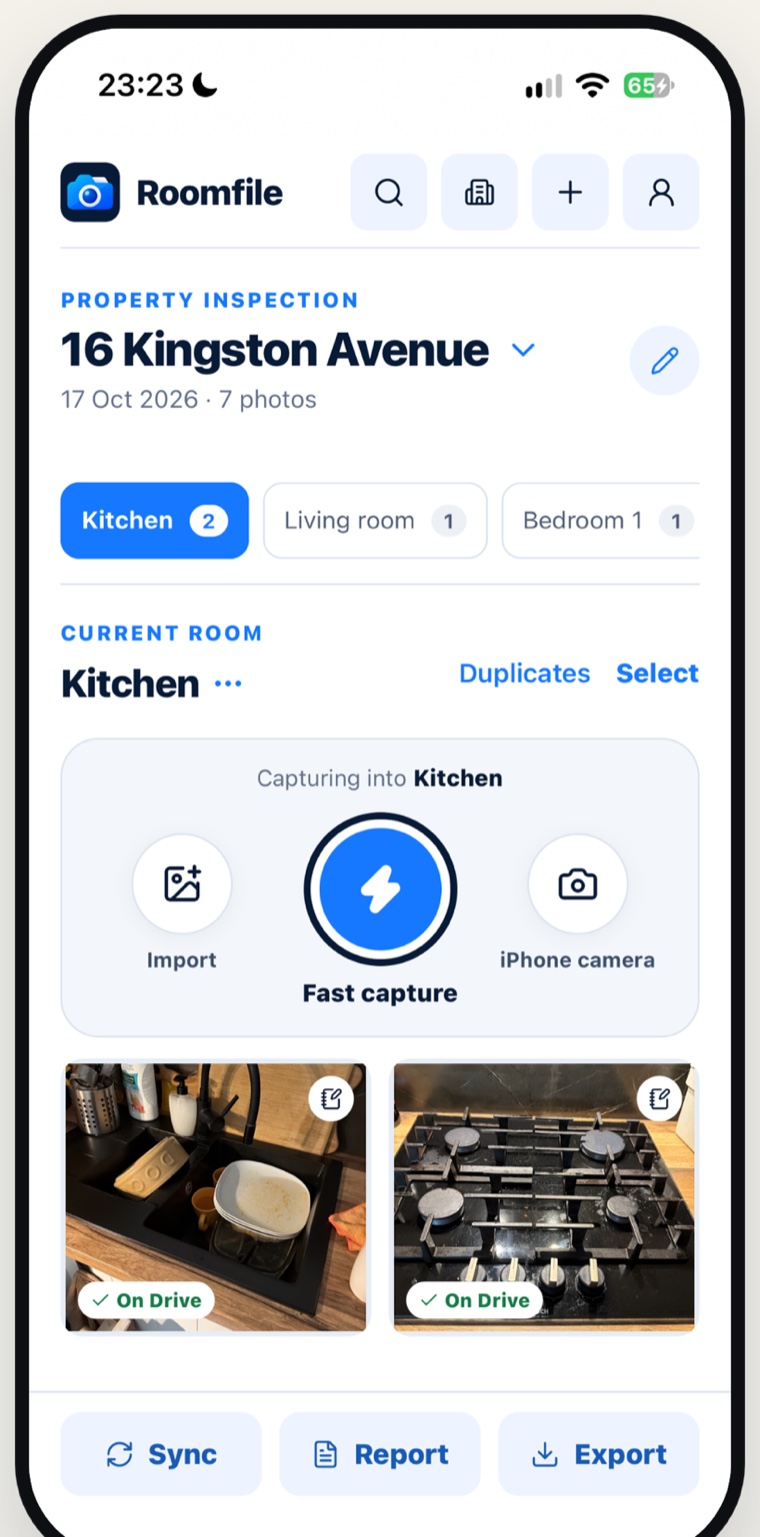
Standard rooms are ready when you create an inspection. Add your own, and move a photo to another room with one tap.
 Roomfile
Property inspection app for iPhone
Photograph a property room by room, dictate what you see, and share a PDF property inspection report built from your own notes. For landlords, letting agents and property inspectors.
Hob has greasy stains and burnt up food all over it. Dirty dishes in the sink, rust on the tap.
Marks and scratches on the table, food waste on the floor.
Wall is dirty with rust on the tap. Shower screen is dirty and showerhead is rusty. Toilet seat is cracked with dirty marks inside the bowl.
A property inspection report as Roomfile drafts it, from notes spoken on site.
An inspection is three jobs: take the photos, say what is wrong, and write it up. Roomfile keeps them in one place, in the order you do them.
Standard rooms are ready when you create an inspection. Add your own, and move a photo to another room with one tap.
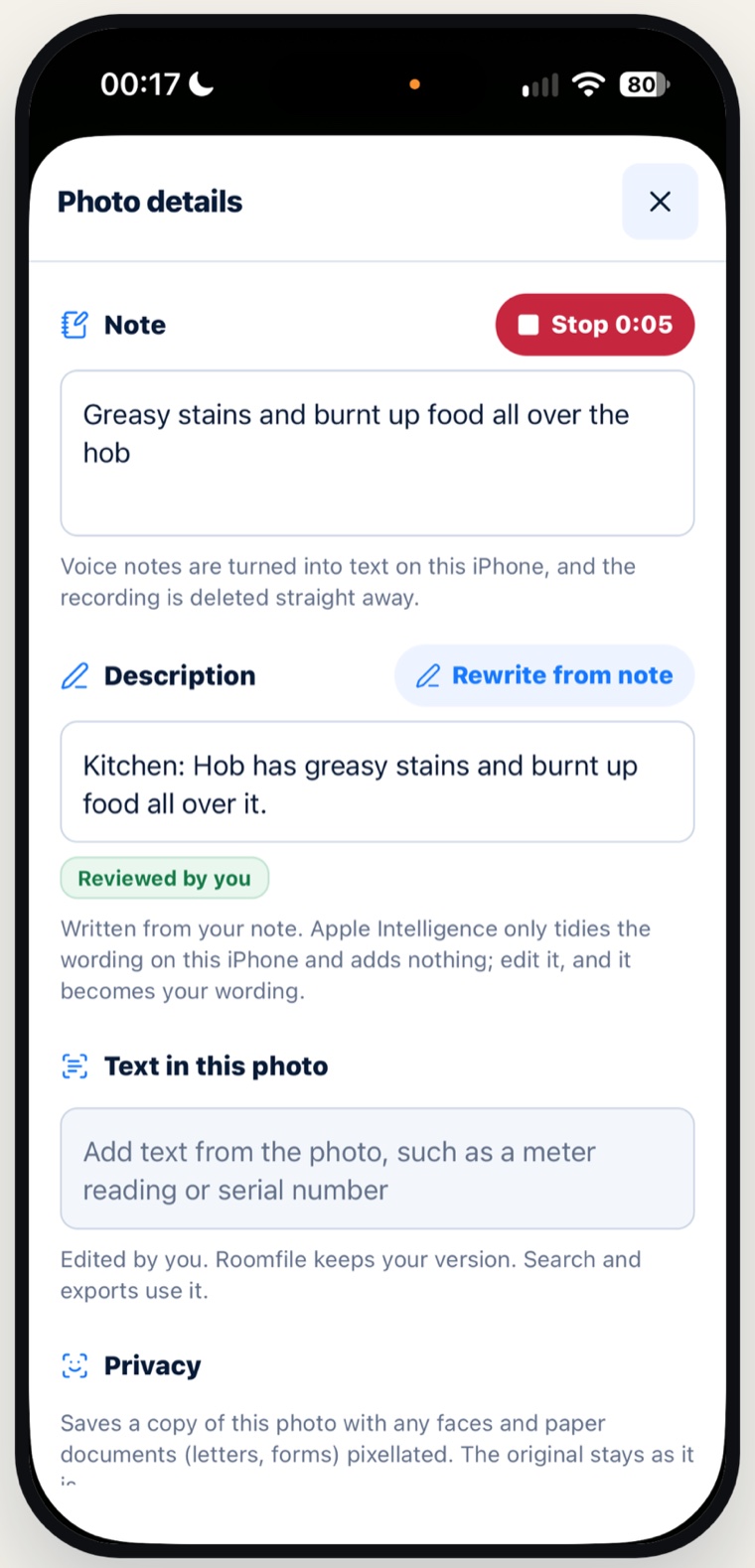
Dictate an observation for each photo. Roomfile turns it into text on your iPhone and deletes the recording straight away.
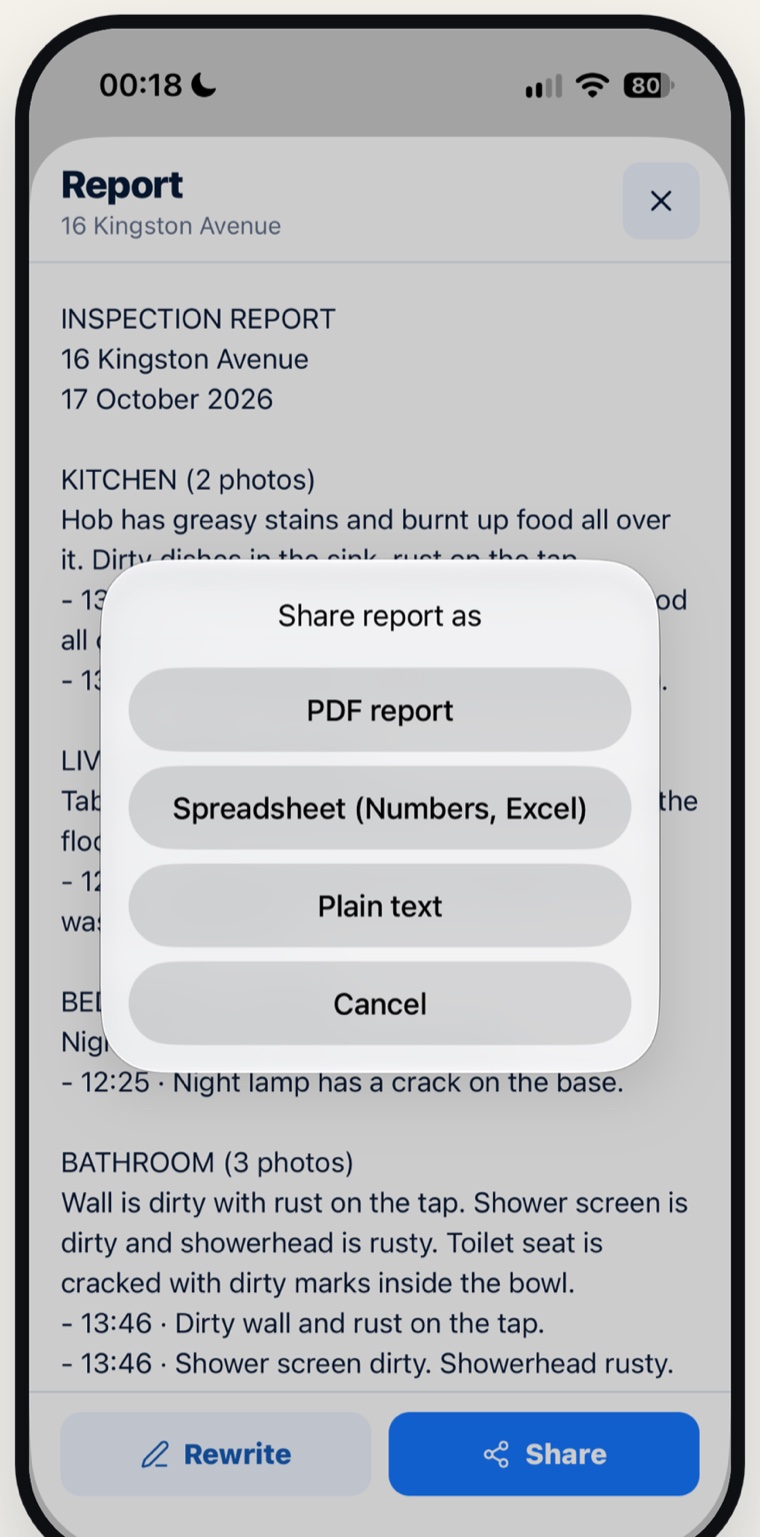
Roomfile drafts the report room by room from your notes. Share it as a PDF with every photo, a spreadsheet, or plain text.
Photos are saved on the device first, so a dropped signal in a basement loses nothing. Uploads catch up when you reconnect.
Photos upload straight from your phone to a Roomfile folder in your own Google Drive. They never pass through Roomfile's servers.
Roomfile flags blurry shots, reads meter readings and serial numbers, turns voice notes into text, blurs faces and drafts your report. All of it runs on your iPhone.
Roomfile is a property inspection app for the visits landlords, letting agents and inspectors make most. Each one ends the same way: dated photos, your notes, and a report you can send.
Google Drive
When you sign in with Google, Roomfile asks only for the drive.file permission. That lets it create a Roomfile folder in your Drive and manage the files it puts there. It cannot see anything else in your Drive. You can remove its access at any time in the app or at myaccount.google.com/permissions. Details are in the privacy policy.
Plans
Roomfile Unlimited removes the limit: a monthly or yearly subscription, or a one-time lifetime purchase, bought through the App Store.
Capture, dictated notes, PDF reports and Google Drive backup are all in the free plan. Unlimited adds two things: more properties, and deleting properties.
US and UK prices. Other countries are priced in their own currency, and Lifetime may not be offered in every region. There is no free trial. Family Sharing is off for Lifetime.
Yes, for one property. One property on each iPhone is free forever, and that includes capture, dictated notes, PDF reports and Google Drive backup. Roomfile Unlimited lets you add more properties and delete properties.
Yes. Photograph each room and dictate what you see, then share the report. Inspecting an address you already have again doesn't use up the free slot.
Roomfile drafts the report room by room from your notes. You can share it as a PDF with every photo, a spreadsheet, or plain text.
Yes. Photos are saved on the device first, so a dropped signal loses nothing. Uploads catch up when you reconnect.
On your iPhone and, if you sign in with Google, in a Roomfile folder in your own Google Drive. They never pass through Roomfile's servers.
No. Roomfile is for iPhone only.